

AI tools are transforming how businesses operate in 2026 by automating repetitive tasks, improving workflows, and enhancing efficiency. From handling meeting transcriptions to managing multi-step processes, these tools save time and allow teams to focus on high-impact work. Here's a quick rundown of the top tools covered:
- ZipLyne: Automates product development and scales digital solutions without technical barriers.
- Zapier AI: Connects 8,000+ apps for workflow automation, with advanced AI agents for multi-step tasks.
- Notion AI: Combines note-taking, task management, and AI-powered summaries for team collaboration.
- ChatGPT Enterprise: Handles tasks like data analysis, customer feedback, and project management using GPT-5.1.
- Claude Pro: Excels at complex projects, offering real-time document editing and advanced reasoning.
- Motion: Automatically reorganizes schedules and tasks based on priorities and deadlines.
- HubSpot AI CRM: Simplifies sales and marketing with AI-driven lead scoring and workflow automation.
- Fireflies AI: Records, transcribes, and summarizes meetings with actionable insights.
- Midjourney V7 / Adobe Firefly: Speeds up visual content creation with features like voice-to-image prompts.
- Microsoft Copilot 365: Integrates AI into Word, Excel, Outlook, and Teams for task automation and better decision-making.
These tools address key challenges like reducing time spent on repetitive tasks (41% of the workday) and overcoming integration struggles faced by 78% of enterprises. Whether you're a startup or an established organization, these tools can help reclaim lost time and boost productivity.
Quick Comparison
| Tool | Primary Function | Key Features | Pricing (Starting) |
|---|---|---|---|
| ZipLyne | Product development automation | No-code, custom AI tools | Custom pricing |
| Zapier AI | Workflow automation | AI agents, connects 8,000+ apps | Free plan; premium starts $20/month |
| Notion AI | Team collaboration | AI summaries, meeting notes | Included with Notion plans |
| ChatGPT Enterprise | Business automation | GPT-5.1, image generation | $20/month (Pro); custom for Enterprise |
| Claude Pro | Complex task management | Real-time editing, advanced reasoning | $20/month; API usage extra |
| Motion | Calendar and task management | AI scheduling, predictive analytics | $29/month (billed annually) |
| HubSpot AI CRM | Sales and marketing automation | Lead scoring, Breeze AI Suite | Included with HubSpot plans |
| Fireflies AI | Meeting transcription | Searchable notes, action item tracking | Custom pricing |
| Midjourney V7 | Visual content creation | Voice-to-image prompts, fast rendering | $10/month |
| Microsoft Copilot 365 | Task automation in Office apps | GPT-5, Copilot Studio | $18/user/month (Business); $30/user/month (Enterprise) |
These tools empower businesses to spend less time on "work about work" and more on impactful tasks. Evaluate your needs, test relevant tools, and measure results to maximize productivity gains.
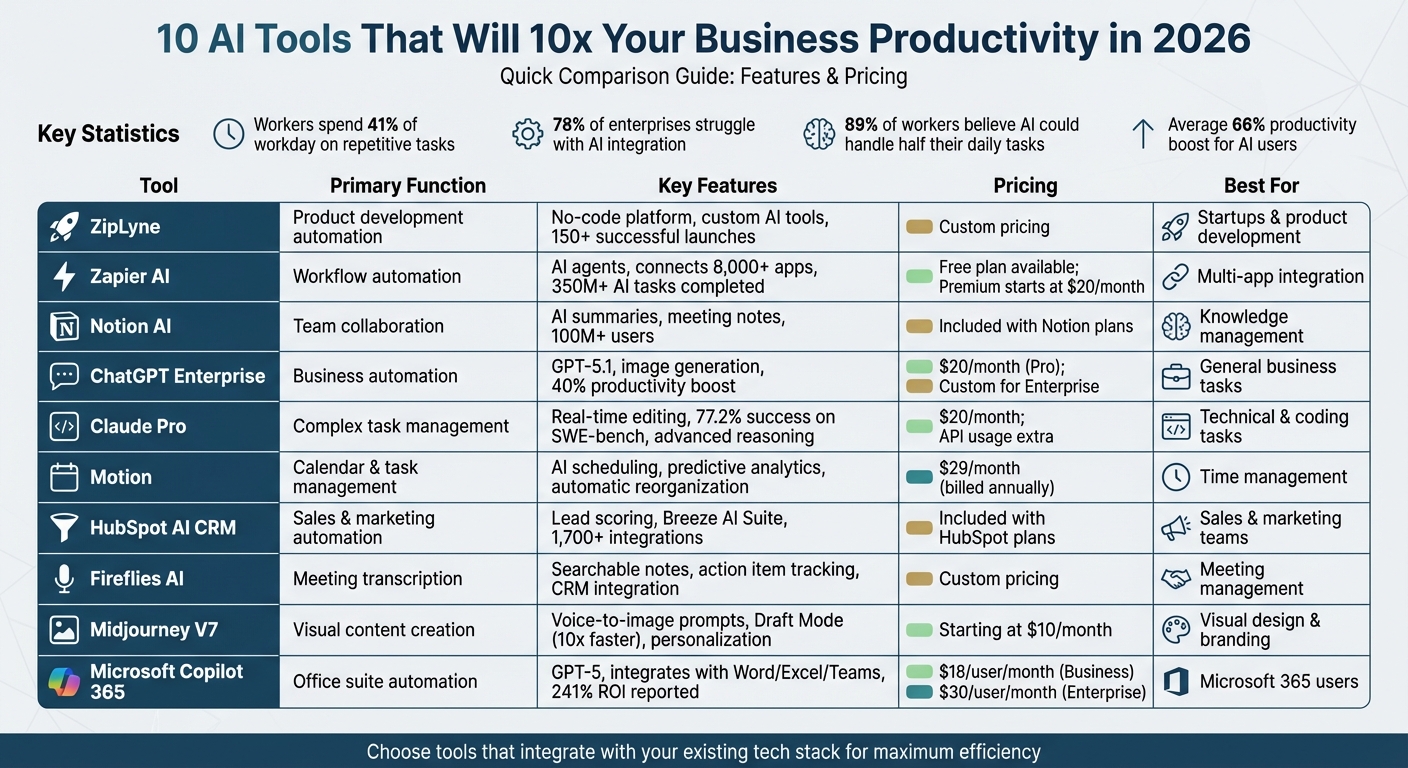
10 AI Tools for Business Productivity in 2026: Features and Pricing Comparison
I Tested 100+ AI Tools, These 11 Will Make you Rich in 2026
1. ZipLyne
ZipLyne is a dynamic agency that specializes in creating AI-powered solutions designed to scale. With over 150 successful launches and more than $50 million in revenue, ZipLyne transforms concepts into ready-to-market products in just weeks.
Automation Capabilities
What sets ZipLyne apart is its ability to automate the entire product development process. Whether it's crafting digital products like mobile apps, MVPs, or integrating AI/ML technologies, ZipLyne streamlines repetitive tasks so teams can focus on big-picture strategies. Their AI-driven content creation system produces marketing materials, social media posts, and brand assets at scale. They also enhance workflow efficiency with custom AI tools tailored to each client’s needs.
Scalability for Businesses
ZipLyne’s no-code approach eliminates traditional development hurdles. This means non-technical teams can roll out solutions without waiting on IT support. Their platform doesn’t require complex backend integration, making it easy to scale across existing web and desktop applications. It even enables seamless workflows that connect multiple tools into a single cohesive process.
Impact on Workflow Efficiency
By significantly reducing time-to-market, ZipLyne helps startups test their ideas in just weeks. Established companies can modernize with AI technology without needing a full system overhaul. Using a data-focused strategy, ZipLyne identifies and addresses productivity gaps, ultimately improving operational efficiency. With over 250 million views generated, they not only enhance workflow efficiency but also boost brand visibility at an impressive pace.
2. Zapier AI
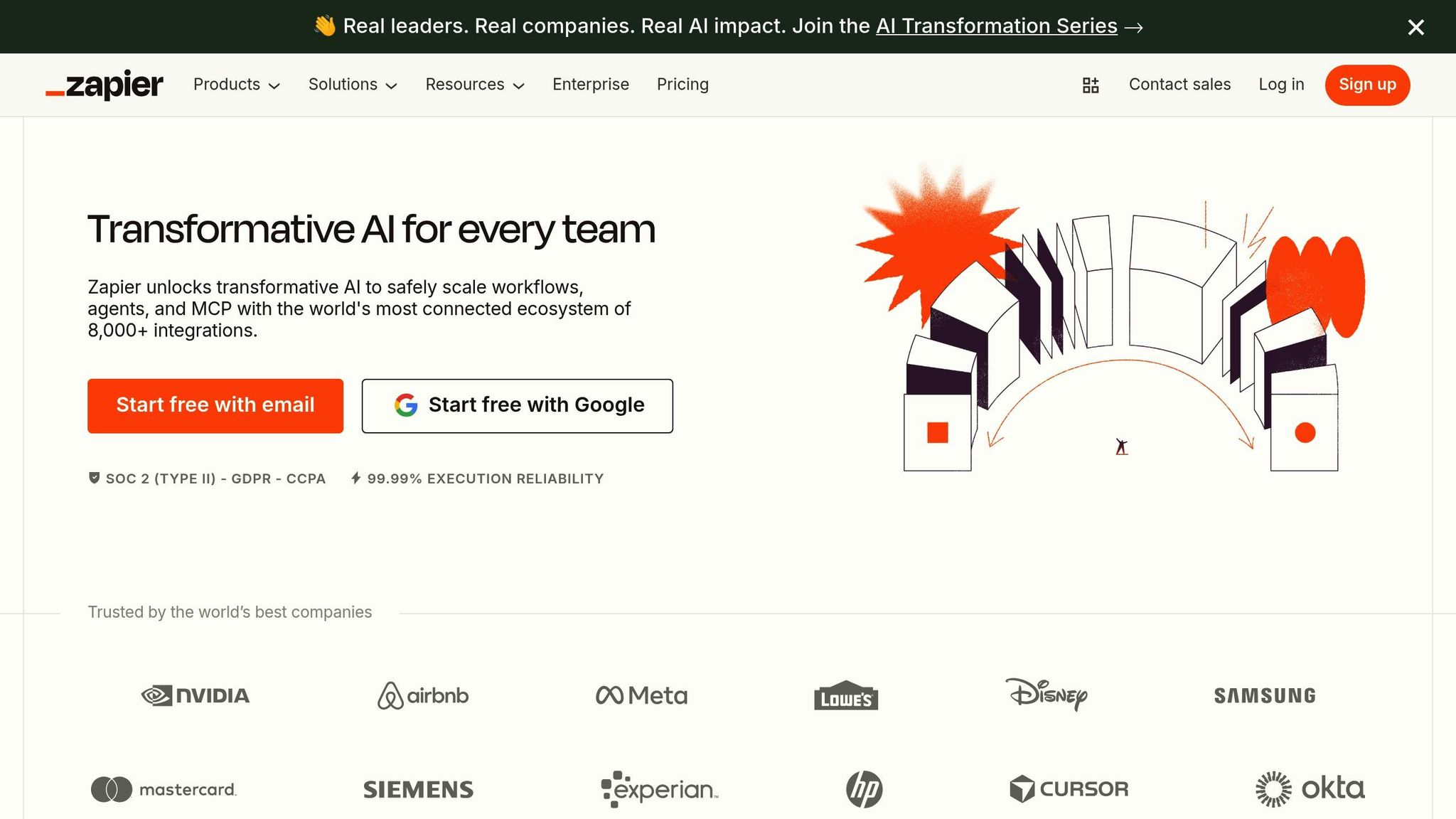
Zapier AI is transforming how businesses handle their workflows by connecting over 8,000 apps to automate repetitive tasks. With more than 1 million companies relying on the platform and over 350 million AI tasks completed, it’s become a trusted choice for simplifying operations and boosting efficiency. Let’s dive into how Zapier AI’s features make daily tasks easier.
Automation Capabilities
Zapier Copilot simplifies automation by letting users describe tasks in plain English. From there, it drafts and tests workflows automatically. On the other hand, Zapier Agents take things a step further - they can manage multi-step processes, perform web research, and even make decisions on their own. Plus, with its Model Context Protocol, Zapier connects external AI tools like ChatGPT to over 30,000 actions without the hassle of complex API setups.
Scalability for Businesses
For businesses looking to scale, Zapier AI has proven to be a game-changer. Marcus Saito from Remote.com implemented 580 Zaps, automating 11 million tasks monthly. This saved his team an impressive 2,219 workdays each month and resolved 28% of IT tickets automatically. Over at Vendasta, automating post-call workflows trimmed 15 minutes off each call, freeing up time and boosting pipeline revenue.
"Zapier makes our team of three feel like a team of ten." – Marcus Saito, Head of IT and AI Automation, Remote.com
Ease of Integration with Existing Tools
Zapier’s no-code interface allows even non-technical employees to create complex automations that previously required developer expertise. For instance, Spencer Siviglia from Toyota of Orlando used Zapier Agents to manage 30,000 lead records, saving his team 20 hours every week. The platform offers a free plan for beginners, a 14-day premium trial, and custom enterprise pricing for organizations needing advanced features like enhanced security and detailed permissions. These flexible options make it easy for teams to get started and build powerful workflows without technical barriers.
3. Notion AI
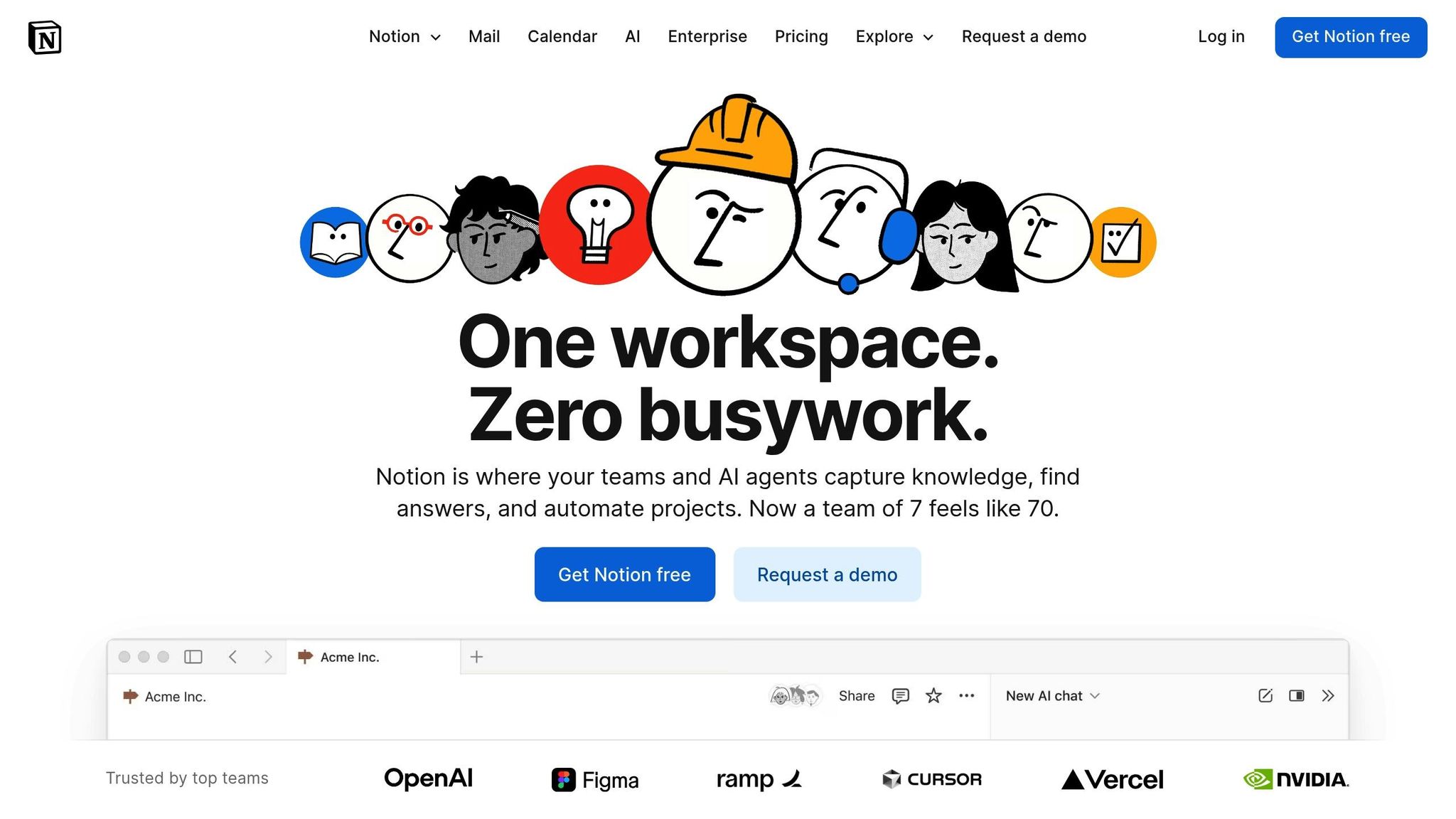
Notion AI has become a powerful workspace tool, bringing together notes, tasks, and documents under one roof. With a user base exceeding 100 million, including 62% of Fortune 100 companies, Notion has shown its ability to simplify team workflows and enhance collaboration. Its built-in AI agents can now create, edit, and execute actions across workspaces, pushing automation to the forefront of team productivity.
Automation Capabilities
Notion AI offers several features designed to save time and improve efficiency. For instance, the Database Autofill feature automatically generates summaries and insights for database rows. The Notion Agent connects with external tools using the Model Context Protocol (MCP), enabling it to pull data from platforms like Slack and act autonomously. Additionally, the AI Meeting Notes feature transcribes meetings in real time, providing summaries and highlighting action items.
| Feature | Benefit | Automation Capability |
|---|---|---|
| Notion Agent | Cuts down on manual tasks | Builds, edits, and performs actions across apps |
| Enterprise Search | Saves time searching for info | Finds data in docs, PDFs, and linked tools |
| Database Autofill | Speeds up analysis | Summarizes and extracts key insights |
| AI Meeting Notes | Improves accountability | Creates transcripts and identifies next steps |
These tools work together to significantly accelerate project timelines and simplify team operations.
Impact on Workflow Efficiency
Notion reports that its automation tools can reduce project timelines by up to three times. This improvement comes from eliminating "work about work" - the wasted time spent hunting for information or managing task-related communication. With Enterprise Search, users can locate data across Notion documents, PDFs, and third-party apps in seconds, all while adhering to strict permission settings. Alex Heath, Deputy Editor at The Verge, praised the platform, calling it "the slickest, most practical implementation of generative AI for text I've used to date".
Seamless Integration with Existing Tools
Notion AI fits effortlessly into your current tech ecosystem. Using the Model Context Protocol, it connects with platforms like Zapier to enable multi-step workflows. Recognized as the #1 AI Enterprise Search tool and the top-rated AI Writing Tool by G2, Notion AI ensures security and privacy with SOC 2 (Type 2) and ISO 27001 certifications. Importantly, it does not train its models on customer data. Regular evaluations of large language models (LLMs), such as GPT-4.1 and Claude 4, ensure optimal performance. This compatibility and focus on privacy make Notion AI a standout choice for teams aiming to boost productivity while maintaining data security.
4. ChatGPT Enterprise
ChatGPT Enterprise, powered by GPT-5.1 as of 2026, has grown far beyond its origins as a simple chatbot. Today, it’s a robust tool for business automation, capable of handling a wide range of tasks like drafting technical documents, creating marketing content, analyzing customer feedback, and even writing code. It’s also designed to manage complex projects efficiently.
Automation Capabilities
This tool takes automation to the next level by performing tasks like data analysis, summarizing meetings, and sending personalized follow-up emails. It integrates seamlessly with platforms like Zapier, enabling businesses to orchestrate multi-step workflows across more than 8,000 apps. For example, it can summarize new leads in team channels or analyze support tickets to identify sales opportunities - all triggered in real time.
A standout feature is its built-in image generation, which can create visual assets based on text prompts. Whether you need detailed reasoning or quick responses, ChatGPT Enterprise offers flexible modes to suit your needs.
Scalability for Businesses
To keep up with the demands of growing businesses, ChatGPT Enterprise uses a Model Context Protocol (MCP) that securely manages over 30,000 actions across various software tools. With its long-term contextual memory and the ability to boost productivity by an average of 40%, it’s well-suited for handling extended, multi-week projects. Plus, enterprise-grade security ensures that company data and user prompts remain private, never contributing to public model training. This makes it a dependable option for businesses that deal with sensitive information.
Ease of Integration with Existing Tools
ChatGPT Enterprise doesn’t just scale - it integrates seamlessly with existing workflows. Its browser-level assistant, ChatGPT Atlas, can summarize web pages, analyze YouTube videos, and rewrite documents stored in Google Drive. It also connects with internal tools like Notion, HubSpot, and Confluence, acting as a bridge between various systems. By maintaining context and user preferences across sessions, it ensures a smooth and personalized experience.
Unlike traditional, rigidly programmed systems, ChatGPT uses machine learning to adapt to new scenarios and understand context. Pricing starts at $20 per month for professional plans, with custom options available for larger enterprises.
5. Claude Pro

Claude Pro is designed to handle complex, multi-step tasks independently for over 30 hours, making it a strong choice for businesses managing extensive projects like rebuilding web applications or performing detailed codebase audits. The platform uses its Agent Skills System, which incorporates domain-specific instructions into workflows. These instructions enable automation patterns such as "Read-Process-Write" for file transformations or "Search-Analyze-Report" for in-depth analysis, ensuring a smooth and efficient process.
Automation Capabilities
Claude Pro offers Artifacts, a side-by-side workspace for editing code, documents, and website designs in real-time. This feature simplifies the process of turning ideas into tangible results. Additionally, the platform can execute Python or Bash scripts, allowing for precise tasks like data transformations or API interactions. It also supports wizard-style workflows that break down processes into manageable, step-by-step actions.
In 2026, Replit reported that the Claude 4.5 Sonnet model achieved a 0% error rate on its internal code editing benchmark - an impressive leap from the 9% error rate of its predecessor. Similarly, Cognition's Devin platform noted an 18% boost in planning efficiency after integrating Claude 4.5 Sonnet.
Scalability for Businesses
Claude Pro includes access to Claude 3 Opus, a model built for advanced reasoning and tackling complex problems. It demonstrated a 77.2% success rate on SWE-bench Verified, which evaluates the ability to resolve real-world GitHub issues, and became the first AI model to surpass 60% on Terminal-Bench 2.0 by scoring 61.3%. The platform’s Context Editing feature also helps reduce token usage by 84% during extended evaluations.
Pricing begins at $20 per month for individual users, with API usage costing $3.00 per million input tokens and $15.00 per million output tokens, offering flexible options for businesses of various sizes.
Seamless Integration with Existing Tools
Claude Pro integrates effortlessly with popular business platforms through native Connectors for Google Drive, Box, S&P Global, and Daloopa. These integrations automate tasks such as retrieving historical financial data and market reports. The beta version of the "Claude for Excel" add-in allows users to run formulas, test scenarios, and debug errors directly in spreadsheets. Additionally, its integration with Zapier expands its functionality across over 8,000 apps, enabling workflows like contract analysis and automated reporting via Slack or email.
For enterprise needs, Claude Pro is available through Amazon Bedrock and Google Cloud's Vertex AI, offering scalable deployment options.
"Skills are specialized prompt templates that inject domain-specific instructions into the conversation context." – Lee Han Chung
sbb-itb-765bc22
6. Motion
Motion takes the hassle out of calendar management by automatically reorganizing your tasks based on urgency and availability. Instead of manually juggling priorities, the platform syncs your work directly with your calendar, reshuffling your schedule on the fly when high-priority meetings or deadlines pop up. Here’s a closer look at how Motion’s smart automation transforms task management and streamlines workflows.
Automation Features
Motion’s automation tools make planning and task management a breeze. With its AI Projects tool, you can generate full project plans from a single prompt, cutting out tedious manual setup. AI Teammates simplify task creation by turning meeting notes and email highlights into scheduled items. Predictive analytics step in to warn managers when projects might fall behind, while focus time settings protect your schedule for uninterrupted, deep work sessions.
Boosting Workflow Efficiency
Motion also tackles common scheduling headaches by setting limits on meetings and adding buffers to prevent back-to-back calls. This approach frees up time for actual project work. Unlike traditional tools like Kanban boards or Gantt charts, Motion’s calendar-first system emphasizes when tasks will happen, offering a more time-conscious way to manage workflows.
Seamless Integration with Existing Tools
Motion works effortlessly with your favorite apps, connecting to over 8,000 tools via Zapier. It also offers native integrations with Slack, Microsoft Outlook, Microsoft To Do, and Google Calendar. For $29 per month (billed annually), the AI Workplace plan includes 1,000 AI credits, allowing you to turn saved Slack messages into tasks or flagged Outlook emails into scheduled items. This ensures smooth coordination across platforms.
7. HubSpot AI CRM
HubSpot AI CRM takes the hassle out of repetitive tasks, freeing up valuable team hours. Its Breeze AI Suite - which includes Breeze Assistant (an AI helper for daily tasks), Breeze Agents (autonomous tools managing entire workflows), and Breeze Studio (a platform to create custom assistants) - streamlines processes like data entry and lead qualification, ensuring your sales pipeline keeps flowing smoothly.
Automation Capabilities
HubSpot AI CRM is packed with automation tools designed to make life easier for businesses. Breeze Agents handle tasks like prospecting, managing social media, and repurposing content. The AI also scores leads by analyzing past behavior, ensuring high-intent prospects go directly to the right sales reps. For email marketing, machine learning fine-tunes send times and personalizes outreach based on CRM data. Plus, the HubSpot Data Hub cleans up your database by spotting duplicates, standardizing fields, and syncing data across all your connected apps.
"Without Breeze Assistant, we'd have to hire another headcount... We used it heavily to create the meta descriptions for over 900 web pages. It saved us a ton of time!" - Candace Bazemore, Director of Digital Strategy and Transformation, Morehouse College
Scalability for Businesses
Whether you're a startup or a large enterprise, HubSpot AI CRM grows with you. Its low-code tools are perfect for new businesses, while enterprise-grade governance and analytics cater to larger organizations. Breeze Assistant uses your company’s entire CRM database - including deal histories and email threads - to deliver insights tailored to your industry. These features drive measurable productivity improvements for teams of all sizes. According to HubSpot's 2026 State of Marketing Report, 92% of marketers say AI has already influenced their roles, and 81% of sales teams using AI tools report increased productivity.
Seamless Integration with Existing Tools
HubSpot AI integrates effortlessly with tools like Google Workspace, Microsoft 365, and Slack, pulling in emails, calendar events, and team conversations to provide a complete business picture. With over 1,700 built-in integrations and access to 7,000+ apps via Zapier - including LinkedIn, Zoom, Shopify, and Gmail - HubSpot fits right into your existing workflow. Breeze Assistant works immediately, requiring no training, and uses your current CRM data from day one. Meanwhile, the Breeze Customer Agent can handle up to 90% of customer interactions automatically, helping service teams resolve tickets 85% faster. Best of all, Breeze Assistant is included with HubSpot subscriptions at no extra cost. This integration ensures HubSpot AI CRM becomes a natural extension of your business operations.
8. Fireflies AI
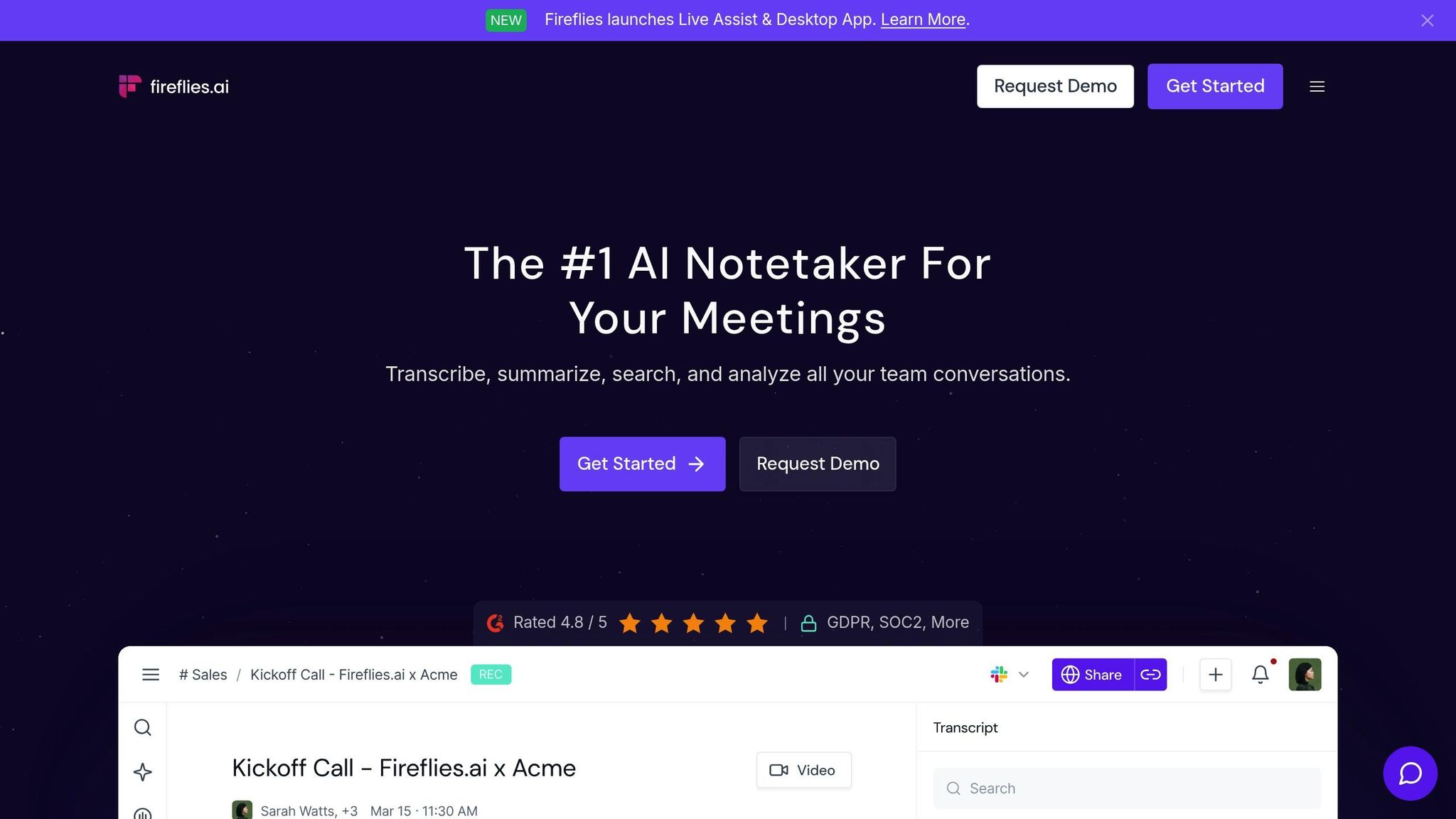
Fireflies AI takes the hassle out of manual note-taking by recording, transcribing, and summarizing every meeting. Its AI assistant, "AskFred", goes a step further by offering insights from past conversations, making it a versatile tool for managing meetings effectively.
Automation Capabilities
Fireflies handles the entire meeting process from start to finish. After a meeting wraps up, it generates searchable transcripts with keyword functionality, allowing you to quickly find specific topics - even months later. It also creates action item lists from the notes, helping teams stay accountable by documenting decisions clearly. Another handy feature is the ability to create "Soundbites", which are short clips of key moments. These can be organized into shareable playlists for team members who need quick context without sitting through an entire meeting.
Scalability for Businesses
This tool is especially useful for departments like sales, marketing, and customer support, where meetings are frequent and critical. As your meeting volume grows, Fireflies scales effortlessly by integrating with major CRM platforms like Salesforce and HubSpot. It automatically updates call notes, activities, and recordings under the right contacts. You can also set up custom topic trackers - like flagging mentions of "automation" - to trigger tasks in tools like ClickUp. Whether you're running a small startup or managing a large enterprise, Fireflies adapts to your needs.
Impact on Workflow Efficiency
Fireflies AI doesn't just scale - it also streamlines workflows. On average, professionals spend about 31 hours per month in meetings, and 89% of workers believe AI could handle up to half their daily tasks. Fireflies tackles this by reducing repetitive administrative work. By centralizing all meeting information in one searchable hub, teams can easily collaborate, review discussions, and make quicker, data-driven decisions.
Ease of Integration with Existing Tools
Fireflies integrates smoothly with platforms like Zoom, Google Meet, Microsoft Teams, Webex, RingCentral, and AirCall. It also syncs with Google Calendar and Outlook, automatically joining meetings without requiring any setup from participants. One standout feature is its deep CRM integration, which ensures every customer interaction is logged and accessible across your tech stack. This makes it easier for sales teams to uncover patterns and opportunities without the need for manual data entry. However, transcription accuracy can sometimes be affected in noisy environments or when dealing with diverse accents.
9. Midjourney V7 / Adobe Firefly
Automation has reshaped workflows and communication across industries, but the evolution of visual content tools is equally transformative. Enter Midjourney V7 and Adobe Firefly, two platforms that are redefining how visual content is created. Released in April 2026, Midjourney V7 focuses on speed and creative flexibility. On the other hand, Adobe Firefly integrates effortlessly into Adobe’s Creative Cloud, making it a go-to for teams already using Adobe tools. Together, these innovations bring new levels of efficiency and control to visual design.
Automation Capabilities
Midjourney V7 takes automation to the next level with features like Draft Mode, which generates images ten times faster than standard modes while slashing rendering costs by half. This makes it perfect for quick tasks like prototyping, moodboarding, or previewing concepts. Another standout feature is voice-to-image prompts, which let users brainstorm hands-free by simply speaking their ideas. Additionally, its personalization feature tailors outputs based on approximately 200 rated images, ensuring future designs align with your brand’s style.
"V7 is... much smarter with text prompts... image prompts look fantastic, image quality is noticeably higher with beautiful textures, and bodies, hands, and objects of all kinds have significantly better coherence on all details." – David Holz, CEO, Midjourney
Meanwhile, Adobe Firefly automates traditionally time-consuming tasks in After Effects, such as rotoscoping and motion tracking. By removing these manual steps, creative teams can spend more time focusing on strategy and storytelling.
Scalability for Businesses
Midjourney offers flexible pricing plans tailored to different business needs.
- Basic Plan: $10/month for approximately 200 generations.
- Standard Plan: $30/month, including 15 hours of "fast time" and unlimited "relax" generations.
- Pro Plan: $60/month, offering 30 hours of fast time.
For businesses scaling their brand identity, the Omni Reference feature ensures consistent style and character across multiple outputs.
Impact on Workflow Efficiency
Midjourney V7 now operates on both Discord and a dedicated web-based platform, giving users more flexibility. Its Photoshop-style layer editing system allows designers to fine-tune lighting, camera angles, and composition without juggling multiple apps.
| Mode | Speed | Relative Cost | Best For |
|---|---|---|---|
| Turbo | Ultra-fast | 2x the cost | Time-sensitive work, rapid iterations |
| Standard | Balanced | 1x the cost | General high-quality production |
| Relax | Slower | 0.5x the cost | Batch generation, exploration |
| Draft | 10x Faster | 50% lower cost | Prototyping, quick previews |
Data source:
Adobe Firefly’s integration within Creative Cloud enhances productivity by allowing designers to create content, analyze marketing performance, and generate reports - all without leaving their workspace. While V7’s output requires twice the GPU time compared to V6, the trade-off is higher-quality results.
Ease of Integration with Existing Tools
Both Midjourney and Adobe Firefly are designed to fit seamlessly into existing workflows. Midjourney’s new web-based platform simplifies access for users who found the Discord-only interface less intuitive. Users can also drag and drop brand assets into the platform’s imagine bar to guide the AI in matching specific aesthetics. The Archive tab further enhances efficiency by enabling easy filtering, organizing, and bulk downloading of assets.
For broader integration, tools like Zapier connect Midjourney’s image generation with thousands of other applications. Adobe Firefly, meanwhile, requires no additional setup for users already working within Creative Cloud. Midjourney’s Settings feature also allows teams to set default parameters like aspect ratio or generation speed, ensuring consistent results across projects.
10. Microsoft Copilot 365
Microsoft Copilot 365 brings AI directly into the tools many of us already use daily - Word, Excel, PowerPoint, Outlook, and Teams. Instead of juggling between different apps, Copilot integrates smoothly into your current workspace, helping automate tasks and speed up decision-making. By early 2026, it will feature GPT-5, offering improved reasoning to tackle more complex tasks [42,44]. This marks a significant step in making AI a natural part of workplace routines.
Automation Capabilities
Copilot takes on repetitive tasks across the Microsoft ecosystem, freeing up time and boosting productivity. In Outlook, it can summarize long email threads and even draft tailored replies. Excel users can analyze data trends or create visualizations using simple natural language commands. During Teams meetings, Copilot captures key points and assigns action items automatically, ensuring nothing slips through the cracks [43,44].
With Copilot Studio, you can use ready-made agents like Researcher and Analyst or design custom agents to handle multi-step business processes. These agents can pull data from over 100 third-party sources, integrating smoothly with your existing systems [42,44,45].
Scalability for Businesses
Microsoft offers flexible pricing to suit businesses of all sizes. For smaller companies (up to 300 users), the Microsoft 365 Copilot Business plan starts at $18.00 per user per month with an annual commitment. Enterprise plans, priced at $30.00 per user per month, include advanced analytics and customization options through Copilot Studio. Promotions, such as Microsoft 365 Business Standard bundled with Copilot for $22.00 per user per month, are available until March 31, 2026 [44,45].
The results speak for themselves. Aberdeen City Council reported a 241% ROI and saved $3 million annually by streamlining corporate services. At PKSHA Technology, Ms. Yui Takeuchi reduced the time spent on data analysis and graph creation from 3-4 hours to under an hour, thanks to Copilot’s analytical tools [44,47].
"Staff capacity creation is always the driver for me, and Copilot adoption allows me to turn it into financial savings, too."
– Andy MacDonald, Executive Director of Corporate Services, Aberdeen City Council
Impact on Workflow Efficiency
Copilot’s Work IQ Intelligence Layer combines data from emails, files, and chats to deliver automation tailored to your specific workflows [42,17]. For example, ICG used Teams integrated with Copilot to speed up project delivery by 50%. Vodafone’s Legal and Business Integrity Team automated contract reviews, saving four hours per employee each week and significantly improving turnaround times [44,45].
| Feature | Function | Business Impact |
|---|---|---|
| Outlook | Summarizes threads; drafts replies | Cuts down email management time |
| Excel | Analyzes trends; creates visualizations | Speeds up report generation |
| Teams | Captures meeting insights; assigns tasks | Ensures follow-through and alignment |
| Copilot Studio | Builds custom workflow agents | Handles specialized business processes |
| Word | Rewrites for clarity; summarizes texts | Simplifies document creation |
Ease of Integration with Existing Tools
Copilot works effortlessly within your existing Microsoft 365 setup, adhering to your permissions, sensitivity labels, and retention policies - no complicated security configurations required. It ensures privacy by keeping prompts and responses confidential. For businesses with unique needs, Copilot Studio allows the creation of custom agents using natural language or pro-code tools. These agents can connect to on-premises data and third-party apps via over 100 connectors. Additionally, the Copilot Analytics dashboard helps track adoption and measure ROI through custom reports [42,44,45].
"I love that it's in our environment. It's able to cross-pollinate and gather information from all of the data we've got in Microsoft 365. As a business owner, that's really important to me because it keeps our people working inside our systems."
– James Hawley, CEO and Founder, NextPath Career Partners
With 79% of small and medium-sized businesses planning to implement AI agents in the next 12 to 18 months, Microsoft Copilot 365 is setting the stage for smarter, more efficient daily operations.
Conclusion
The ten AI tools highlighted in this article signal a major shift in how businesses will operate in 2026. From ZipLyne’s focus on product development to Microsoft Copilot 365’s smooth integration into workflows, these tools address a key challenge: desk workers spend 41% of their time on repetitive tasks. By automating these time-consuming processes, companies can free up employees to focus on creative problem-solving and driving strategic growth.
The first step? Identify the bottlenecks in your current operations. While 89% of IT and business decision-makers already see AI as vital to achieving their goals, the real key to success lies in selecting tools that align with your team’s technical skills and existing software. Providing clear usage guidelines is equally critical - this can make employees nearly six times more likely to experiment with AI. At the same time, establishing strong policies around data privacy and ethical use ensures a smooth rollout from the start.
Once the groundwork is laid, pilot testing becomes essential. Start small - test tools in controlled environments and measure metrics like time saved or revenue impact to calculate ROI before scaling up. The potential is enormous: professionals using AI for complex tasks see an average 66% productivity boost. Companies like Remote have already demonstrated the power of strategic automation, saving over 12,000 workdays and cutting $500,000 in headcount costs.
Agentic AI takes this even further, evolving these tools from simple assistants into autonomous teammates capable of managing multi-step processes. Tools like ChatGPT Enterprise and Claude Pro are already pushing these boundaries. However, with 78% of enterprises struggling to integrate AI with their current tech stacks, choosing tools that work seamlessly with platforms like Slack, CRMs, or Microsoft 365 can help avoid unnecessary complications.
As businesses embrace these advancements, the AI revolution is kicking off a transformation that will span the next decade. Companies that thoughtfully implement these tools in 2026 won’t just gain a productivity edge - they’ll set the stage for long-term success as AI continues to evolve and redefine the workplace.
FAQs
How can AI tools like Zapier AI and Notion AI boost workflow efficiency?
AI tools like Zapier AI and Notion AI are changing the way businesses manage their workflows by automating tedious tasks and simplifying operations. With Zapier AI, users can set up automated workflows, known as "Zaps", without any coding skills. For instance, it can seamlessly transfer data between apps, send automated follow-up emails, or organize support ticket routing. Plus, its AI-powered suggestions make designing workflows faster and help minimize mistakes.
Meanwhile, Notion AI boosts productivity by integrating generative AI directly into its workspace. It can assist with drafting documents, summarizing notes, or crafting project plans - all with just a few prompts. This cuts down on time spent on manual tasks and speeds up team collaboration, helping businesses prioritize bigger goals. Together, these tools enable teams to work more efficiently and accomplish more with less effort.
How can AI tools like Fireflies AI improve meeting management and productivity?
AI-powered tools like Fireflies AI are changing the game for meeting management by taking over tasks such as recording, transcribing, and summarizing conversations. With these tools, manual note-taking becomes a thing of the past, allowing everyone to focus entirely on the discussion at hand. Plus, the platform generates searchable transcripts and summaries, making it simple to locate key decisions, action items, or important topics from previous meetings.
On top of that, Fireflies AI provides advanced analytics to spot trends, gauge sentiment, and identify recurring themes. This helps teams gain deeper insights and optimize their workflows. By offering consistent documentation and improving how follow-ups are handled, these tools not only save time and reduce mistakes but also enhance collaboration across teams. They’ve quickly become essential for driving productivity in today’s fast-paced work environments.
How does Microsoft 365 Copilot work with the tools my business already uses?
Microsoft 365 Copilot works directly within the apps your team already uses - like Word, Excel, PowerPoint, Outlook, Teams, and SharePoint - making it an easy fit for your current workflows. Offered as an add-on to eligible Microsoft 365 subscriptions, it taps into your organization's Microsoft Graph to access emails, files, calendars, chats, and even third-party data. This allows it to provide personalized, context-aware suggestions tailored to individual users and teams.
On top of that, Copilot integrates with over 100 external systems, including ERP, CRM, and custom applications. This connection powers AI-driven tools like search, chat, and automation, simplifying tasks across your business. It can handle repetitive processes, uncover insights, and assist in content creation - all while ensuring your data stays secure within your organization.
Frequently Asked Questions
How do I know which AI tool to start with if my business has never used automation before?
Start by identifying your single biggest time drain—whether that's manual data entry, meeting follow-ups, or disconnected apps. Pick one tool that directly targets that bottleneck rather than deploying five tools at once. Most platforms offer free tiers or trials, so you can measure time saved before committing budget.
Can these AI tools actually replace hiring a developer or technical employee?
For many repetitive workflows—connecting apps, transcribing meetings, scheduling, lead scoring—yes, these tools eliminate the need for a dedicated hire. For building custom apps, MVPs, or production-grade AI systems, you still need real engineering behind it, not just a no-code patchwork that breaks at scale.
What's the difference between using AI tools like these versus getting custom AI automation built for my business?
Off-the-shelf tools handle generic workflows well but hit a ceiling fast when your process doesn't fit their templates. Custom-built automation is designed around your exact operations, integrates with your specific stack, and doesn't force you to change how you work to match the software's limitations.
How long does it realistically take to see ROI from implementing AI tools?
Teams that target a specific, high-frequency task typically see measurable time savings within the first 30 days. The examples in this article—like cutting 20 hours per week from lead management or saving 2,000+ workdays monthly—came from focused implementation on one workflow, not a broad rollout of every tool at once.
Are these AI tools secure enough for businesses handling sensitive customer data?
Enterprise tiers of tools like ChatGPT Enterprise, Notion AI, and Microsoft Copilot 365 explicitly do not train on your data and carry certifications like SOC 2 Type II and ISO 27001. That said, you should still audit each tool's data handling policy before routing customer PII or proprietary business data through any third-party platform.