← Blog
Guides

How to Build an Internal Tool That Replaces Spreadsheet Ops

Replace the spreadsheet that runs your business with a real internal tool. This guide shows how to map the workflow, define rules, and cut over clean.

How to Build an Internal Tool That Replaces Spreadsheet Ops

Build internal tool for operations with 5–10 screens, 1–3 roles, and a parallel run. Replace spreadsheets without breaking workflow.

  • internal tools
  • spreadsheet replacement
  • workflow automation
  • role-based access
  • audit logs
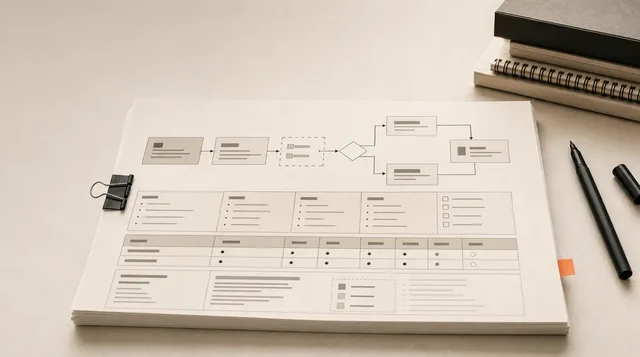
How to Build an Internal Tool That Replaces Spreadsheet Ops featured image

How do you build an internal tool that replaces your spreadsheets?

An internal tool is software built for employees inside a company — it helps teams manage data, automate work, track processes, and complete tasks instead of serving customers directly (Source: Baserow). Replacing a spreadsheet with one isn't about prettier screens. It's about extracting the workflow buried inside that file and rebuilding it as a controlled system.

Run it in this order:

  1. Pick the load-bearing spreadsheet. The one that breaks a real process if it dies.
  2. Map the workflow, not the UI. Tessellate Labs notes the spreadsheet is usually acting as a database, workflow engine, and interface all at once — separate those jobs first.
  3. Turn formulas, dropdowns, and approval paths into explicit rules. Tribal knowledge has to become enforced logic.
  4. Define roles. Who adds, edits, approves, reads, and gets blocked.
  5. Build the version-one scope. Most spreadsheet replacements fit 5–10 screens and 1–3 roles (Source: Tessellate Labs).
  6. Run parallel, then cut over clean. Don't flip the switch on launch day and pray.

The payoff is real and measurable: a well-scoped internal tool can eliminate 8–12 hours of weekly manual work from a single workflow (Source: Yaro Labs).

Do that across three or four spreadsheets and Yaro Labs calls it a meaningful operational transformation. The rest of this guide is the execution detail behind each step.

How to Build an Internal Tool That Replaces Spreadsheet Ops infographic

When should you build an internal tool instead of fixing the spreadsheet?

Build the tool when the spreadsheet stops being a document and starts being a fragile database with business logic bolted on. Not every sheet needs replacing — but specific patterns mean it's crossed the line. JMS Dev Lab puts it simply: if two or more of these sound familiar, you've probably already crossed it.

Watch for these signals (Source: Veld Systems):

  • Multiple people editing at once and breaking each other's work. Merge conflicts and "who changed this cell?" are symptoms of a tool past its format.
  • Manual data entry that should be automated. Two hours a day copying from emails or forms into a sheet is a workflow begging for automation.
  • Validation by honor system. "Only enter values from this list" is not enforcement. Bad data is a matter of when, not if.
  • Slow loads or crashes. Excel and Google Sheets degrade badly past 50,000 rows or heavy formula use.
  • You need an audit trail. Spreadsheets track who-changed-what poorly, if at all.

Two more flags: reporting that requires exporting and reformatting, and a workbook that's swollen past 15+ tabs (Source: JMS Dev Lab).

Watch

Stop Learning Excel—Meet the AI Spreadsheet

From Kevin Stratvert on YouTube

Which spreadsheet is actually load-bearing?

The load-bearing spreadsheet is the one that breaks a real business process if it stops working. Most companies have a dozen sheets but only one or two that operations genuinely depend on. Find those first — building tools for the rest is wasted effort.

Use four tests to identify it:

  • Failure test. Would a real process stall if this file disappeared today? If yes, it's load-bearing.
  • Single-maintainer test. Does it require one specific person to keep it running? Yaro Labs calls this the clearest sign a sheet has outstayed its usefulness — the logic has become embedded in a human instead of a system.
  • Duplication test. Does the same data get entered into it twice, or copied between it and another system?
  • Frequency test. The B.R.I.D.G.E. Framework flags any task done manually more than 3 times a week as a tooling candidate (Source: PardyPanda).

The sheet that fails the most tests is where you build first — usually it trips all four.

Don't try to replace everything at once. Pick the single sheet that fails the most tests and start there.

What workflow must the internal tool run before anyone designs screens?

Before you sketch a single screen, write down the core workflow in one sentence — then shadow the live process to verify it's true. The spreadsheet hides the real flow. HouseofMVPs recommends documenting each step, who does it, what tool they use, how long it takes, where pain shows up, and how data moves through.

Here's the concrete version. HouseofMVPs maps a customer onboarding workflow that totals ~47 minutes per customer across 4 systems and 3 people. The target after building the tool: one interface, 5 minutes.

To map your own workflow, capture:

  1. Every step in sequence — what actually happens, not what the SOP claims.
  2. Who does each step and which tool or tab they touch.
  3. Where data enters — forms, emails, another system, manual typing.
  4. Where data exits — reports, exports, the next person's inbox.
  5. What gets entered twice. Every double-entry point is a place the tool collapses two steps into one.

Tessellate Labs makes the structural point: the spreadsheet is doing three jobs at once — database, workflow engine, and user interface. Map the workflow first, and you can separate those cleanly instead of rebuilding the mess in a new wrapper.

How do you turn formulas, approvals, and exceptions into version-one rules?

Every formula, dropdown, and conditional format in the spreadsheet is an unwritten business rule — pull them out and make them explicit before building. Tessellate Labs is direct on this: extract formulas, conditional formatting, data validation dropdowns, notes, and informal instructions into stated business rules first. The spreadsheet encodes logic invisibly; the tool has to enforce it on purpose.

Work through each layer:

  • Formulas become automated calculations the system runs, not cells someone might overwrite.
  • Data validation dropdowns become enforced field constraints — the honor system dies here.
  • Conditional formatting ("flag overdue in red") becomes status logic and alerts.
  • Approval paths become explicit steps with named roles.
  • Cell notes and "ask Dana" instructions become documented rules instead of tribal knowledge.

The harder part is exceptions. Capture every one — then sort it. Tessellate Labs recommends labeling each as a must-have rule, a guideline, a policy, or a later-scope item. That separation stops version one from drowning in edge cases that happen twice a year.

Most spreadsheet logic is simpler than it looks — JMS Dev Lab says the column headers alone tell you about 80% of what your data model needs.

Build for the rules that fire constantly. Park the rare exceptions in a "later" pile and ship the common path first.

Which internal-tool feature fixes each spreadsheet failure?

Each spreadsheet failure maps to one specific internal-tool feature — don't build features you can't trace back to a real failure. The strongest replacements keep the familiar workflow but add enforced validation, automated workflows, dashboards, role-based access, and integrations (Source: Veld Systems). Here's the direct mapping:

Spreadsheet failureFeature that fixes it
People overwriting each other's cellsRole-based access + one source of truth
Bad data from honor-system rulesEnforced validation on every field
Formulas that break when rows moveAutomated calculations server-side
Two hours/day copying between systemsIntegrations with CRM, accounting, shipping
No record of who changed whatAudit log with time-stamped actions
Reports built by export-and-reformatLive dashboards
"Where does this stand?" Slack threadsStatus tracking + searchable history

PardyPanda frames the before-and-after bluntly: weekly spreadsheet updates become a real-time dashboard, manual email approvals become one-click workflows, and team sync calls become live status updates.

The audit-trail piece matters most as operations data moves behind logins. A strong internal tool becomes a system of record — role-based access, change logs, time-stamped actions, status updates, and searchable history (Source: PardyPanda).

For deeper choices on when each feature needs custom engineering, see no-code vs custom AI tools and what breaks first.

Build vs buy internal tools: when does custom make sense?

Build custom when the workflow is unique and used daily by many people; buy when a mature SaaS product already covers most of it. The decision isn't ideology — it's a math problem about fit, seats, and maintenance. HouseofMVPs lays out the signals on both sides.

FactorBuild customBuy SaaS
Workflow uniquenessUnique to your businessStandard, common process
SaaS fitNeeds expensive customizationCovers 80%+ of requirement
Daily usersMany; per-seat cost bites at 20+ usersFewer than 5 people
IntegrationsMissing connectors you needVendor has them
ComplianceYou need controlVendor handles it
MaintenanceYou can support itYou can't maintain custom

The seat-cost pressure is the most common tipping point. Per-seat SaaS pricing that's fine at five users gets brutal at twenty-plus — that's a build signal (Source: HouseofMVPs).

There's a third option most operators skip: hybrid — keep SaaS for the standard functions and build only the custom workflow layer on top (Source: HouseofMVPs).

That hybrid path often wins. You don't rebuild a CRM or accounting system. You build the thin layer of logic that's actually yours and wire it to the tools that already work. Before you commit either way, run an AI operations audit to find the work leaking profit and rank fixes by payback.

How to build and ship an internal tool in a day using AI?

AI can scaffold a working internal tool in a day — but scaffolding isn't production-ready operations software, and confusing the two is how ops breaks. The hard parts the SERP hype skips are the same ones that decide whether the tool survives real use: workflow mapping, rule extraction, enforced validation, security, and rollout.

Public detail on credible one-day AI builds is thin, and most "built in a day" claims describe a demo, not a system running live operations. So be honest about the line:

  • What AI accelerates: generating screens from your data model, drafting forms and validation logic, wiring CRUD, producing first-pass code from a clear spec.
  • What still takes real work: the workflow you mapped, the rules you extracted, role-based access, audit logging, integrations, and a tested cutover.

A demo that looks done can still drop data, skip permissions, and break on the first edge case. Speed is the point — fragility isn't.

For the difference between fast builds that survive scale and ones that fold, read how ReplyMagic and baba prove fast builds can scale. If you'd rather skip the dev team entirely, automating your business without hiring a developer covers the no-code path.

How do you replace a business spreadsheet with a custom app without breaking operations?

Run the old spreadsheet and the new tool side by side, then cut over clean — never flip the switch on launch day and hope. Tessellate Labs is explicit: rollout is part of the product, not an afterthought. You plan the parallel run and the clean cutover the same way you plan the build.

Sequence the rollout like this:

  1. Validate imported data first. Clean, dedupe, and check the rows you migrate. Sources are thin on a detailed migration playbook, so treat this step as its own mini-project: bad imported data poisons a clean tool on day one.
  2. Run parallel. Both systems live for a defined window so you can compare outputs and catch gaps.
  3. Check permissions before go-live. As soon as ops data sits behind logins, security basics matter (Source: Tessellate Labs). Confirm who can add, edit, approve, and read.
  4. Confirm the audit trail works. Time-stamped actions and change logs should already be capturing history during the parallel run.
  5. Cut over clean. Once outputs match and roles check out, retire the spreadsheet — don't let it linger as a shadow system.

Pick 2–3 success metrics before you start (Source: Tessellate Labs). Their example: cutting weekly reporting from 3 hours to 20 minutes. Hours saved, errors removed, reporting time, duplicated-entry eliminated — pick the two or three that prove the build worked.

Decide those metrics before the build, not after, or you'll never prove the tool earned its keep.

Who owns the internal tool after it ships?

Assign one named owner before version one goes live — most spreadsheet replacements die because nobody owns what happens after launch. Sources are thinner here, and that gap is exactly where shipped tools quietly rot back into spreadsheets. A tool with no owner becomes the next "ask Dana" problem you just spent weeks killing.

Before launch, decide who handles each of these:

  • Bugs. Who fixes them and how fast.
  • Integration failures. When the CRM or shipping connector breaks, who notices and who repairs it.
  • Permission reviews. A scheduled check of who can access what, especially after people change roles or leave.
  • Workflow changes. When the process shifts, who updates the rules so the tool keeps matching reality.
  • Automation monitoring. Who watches that the automated steps actually ran.

Name the owner in the build plan, not in a panicked Slack thread three weeks after launch. That single assignment is the difference between a system that holds and a sheet 2.0.

Ready to turn your messiest ops spreadsheet into a system that actually runs in production? That's the work — let's build something real.

Frequently asked questions

How do you build an internal tool that replaces a spreadsheet without breaking operations?

Run the old spreadsheet and the new tool side by side, then cut over clean — never flip the switch on launch day. Import and validate data first, run both systems in parallel for a defined window, confirm role-based permissions, and verify the audit trail is capturing changes. Pick 2–3 success metrics before you start — cutting weekly reporting from 3 hours to 20 minutes is a concrete example. Retire the spreadsheet only after outputs match.

When should I replace a spreadsheet with a custom internal tool?

Replace it when two or more failure signals show up at once: multiple people overwriting each other's cells, manual data entry eating 2+ hours a day, validation enforced only by honor system, crashes past 50,000 rows, no audit trail, or a workbook swollen past 15 tabs. The loudest warning is a sheet only one specific person can maintain — that means business logic now lives in a human, not a system.

How many screens and roles does a version-one internal tool actually need?

Most spreadsheet replacements fit 5–10 screens and 1–3 roles in version one. An expense tool might need just two roles — submitter and approver. A CRM replacement might need five. Match roles to the actual workflow, not to an org chart. Scoping tight keeps the build fast and prevents edge cases that happen twice a year from sinking the common path.

How much manual work can a well-scoped internal tool eliminate each week?

A well-scoped internal tool can eliminate 8–12 hours of weekly manual work from a single workflow. Apply that across three or four load-bearing spreadsheets and it adds up to a meaningful operational shift. One e-commerce fulfillment example shows SLA compliance climbing from 72% to 96% after a logistics dashboard replaced manual spreadsheet tagging, with refunds for delayed delivery dropping 50%.

Should I build a custom internal tool or buy a SaaS product?

Build custom when the workflow is unique to your business, existing SaaS needs expensive customization to cover it, or per-seat pricing gets brutal past 20 users. Buy SaaS when a product already covers 80%+ of the requirement and fewer than 5 people need access. A third path often wins: keep SaaS for standard functions and build only the custom logic layer on top — wiring it to tools that already work.

What's the right way to map a workflow before building an internal tool?

Write the core workflow in one sentence, then shadow the live process to verify it's true. Capture every step in sequence, who does it, which tool or tab they touch, where data enters, where it exits, and every point where data gets entered twice. Time each step while you shadow — the gap between current minutes and target minutes is your ROI pitch and your success metric. The spreadsheet is hiding the real flow; mapping it first lets you separate the database, workflow engine, and interface instead of rebuilding the mess in a new wrapper.

Sources